
We’ve all been there. You’re snuggled into your favourite stitching spot, the lighting is absolutely perfect, your floss is sorted, and you are completely in the zone. You reach down to cross off your completed rows, only to realise your trusty highlighter has bled right through the paper, turning a crucial cluster of symbols into a mysterious, blurry ink blot.
As much as we love the tactile, traditional feel of fabric and floss, managing paper patterns can sometimes feel like a hobby in itself. They get crinkled, they get torn at the folds, and let’s be honest: trying to read those microscopic symbols on a massive full-coverage chart can make your eyes cross before you’ve even threaded your needle.
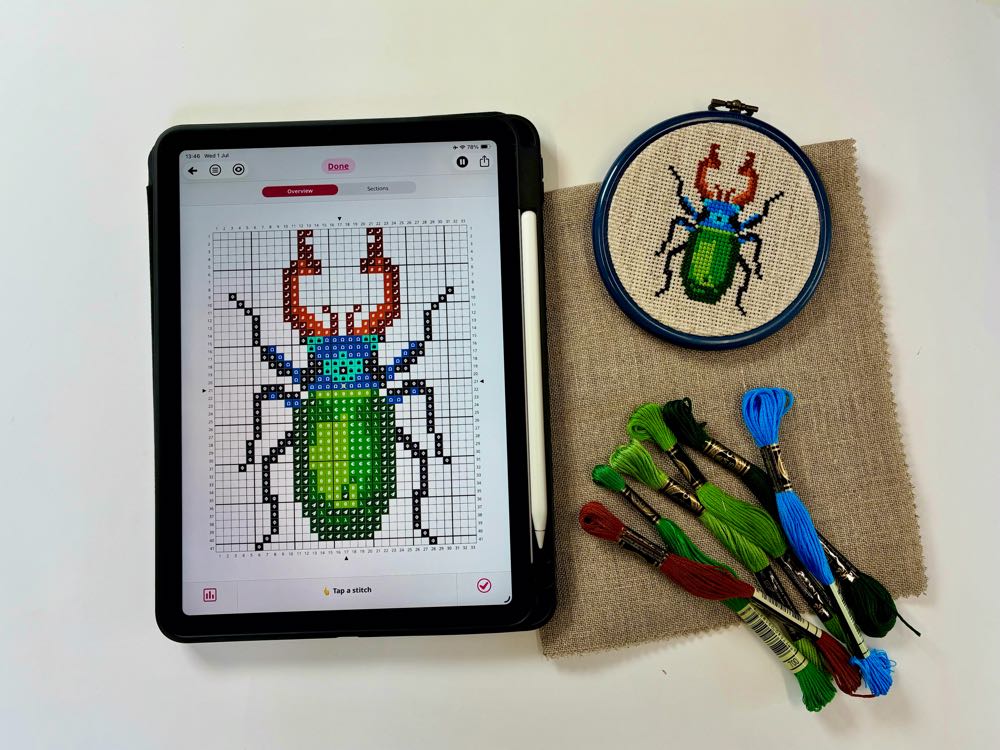
Let’s dive into how you can make the switch seamlessly, comfortably, and without losing any of that cozy stitching magic.
Why Give Paper a Rest? (The Perks of Going Digital)
If you’re on the fence about moving away from printed charts, it’s helpful to think about the everyday frustrations that digital stitching instantly solves.
First and foremost, there is the magic of the zoom. No more squinting at tiny grid squares or holding your pattern up to a bright lamp to decipher a backstitching line from a French knot symbol. With a quick pinch of your fingers, you can magnify a specific section to the size of your whole screen.
Going digital also means unlocking infinite backlighting. If you love to stitch during late-night movie marathons or in cozy corners with less-than-ideal lighting, a screen ensures your pattern is always perfectly illuminated.
Plus, there’s the organisation factor. Instead of keeping a physical binder overflowing with printed sheets, loose pages, and sticky notes, you can keep your entire pattern library—and all your current Works in Progress (WiPs)—neatly tucked away inside a single device. It’s a total game-changer for keeping your craft space clutter-free.
Setting Up Your Digital Stitching Nest
The biggest hurdle for most stitchers making the digital switch isn’t the screen itself—it’s figuring out where to put your device without having to constantly pick it up. When you’re holding a hoop or Q-Snap with both hands, you don’t have a spare hand to easily grab your phone or tablet.
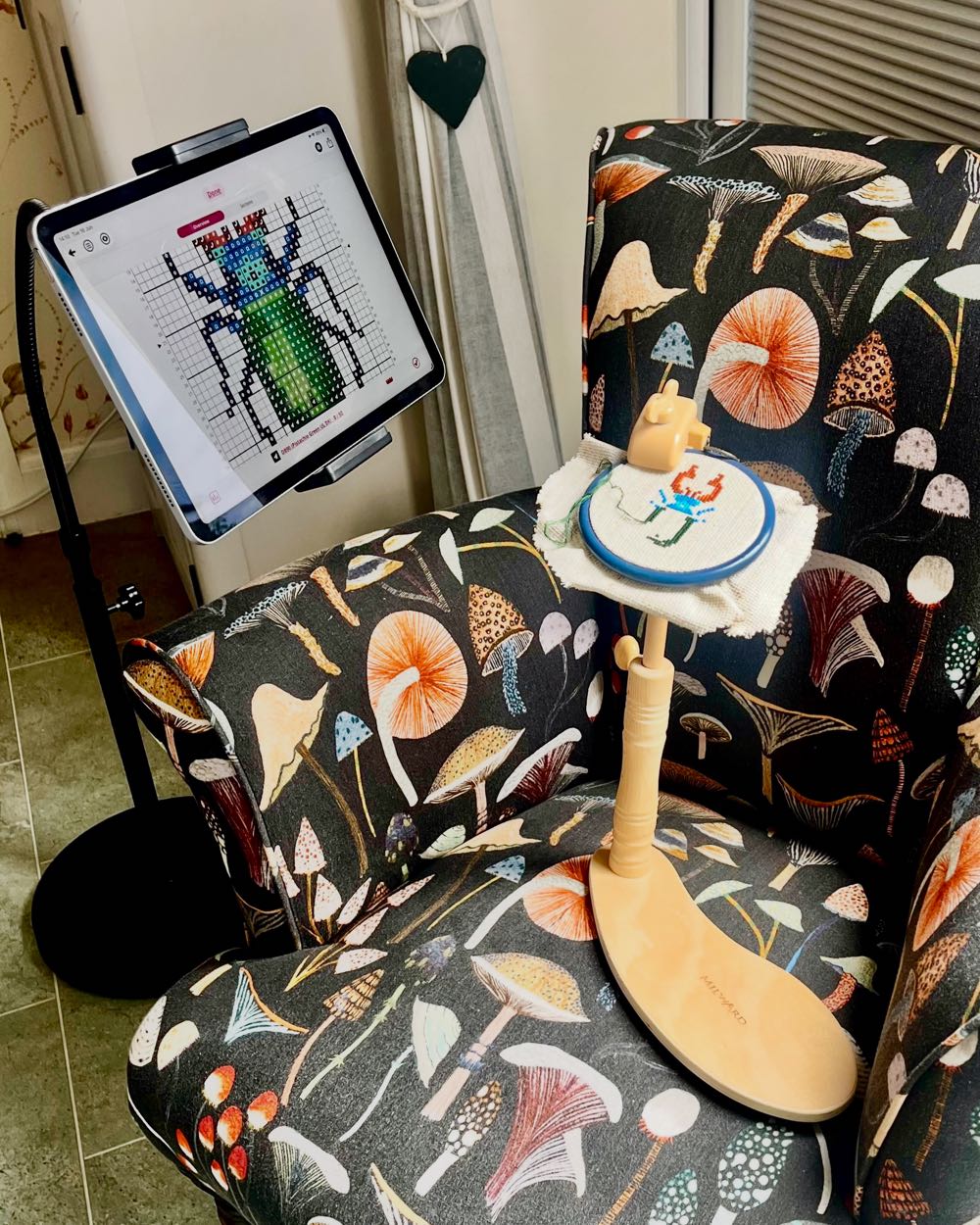
Creating an ergonomic “stitching nest” is the secret to a seamless transition. Beyond a simple tablet or smartphone stand, here are a few clever ways to integrate your device into your existing setup:
- The Goose-Neck Clamp: These are inexpensive, flexible arms that clamp onto the edge of a side table, a desk, or even the arm of your favourite chair. You can pop your phone or tablet into the holder and bend the neck so the screen sits exactly at eye level, right next to your fabric.
- Magnetic Hoop Mounts: If you prefer to keep your eyes locked onto your hoop, look into lightweight magnetic phone holders. Some stitchers use strong needle minders or specialised magnetic mounts to attach small smartphones directly to the top edge of their stitching frame.
- The Floor Stand Sidekick: If you already use a floor stand or a lap stand for your cross-stitch, you can find tablet attachments that clamp right onto the wooden frame. This keeps your hands completely free and your chart just inches away from your needle.
Banishing Eye Strain (The Tech Hacks)
One of the most common concerns stitchers have about switching to screens is eye fatigue. Looking back and forth between a bright screen and your physical fabric for hours at a time can definitely tire your eyes out if you don’t adjust your settings.
Fortunately, a few simple tech adjustments can make your digital chart just as gentle on the eyes as paper:
- Warm Up Your Screen: Most modern tablets and phones have a setting called “Night Shift,” “True Tone,” or “Eye Comfort Shield.” This reduces the blue light emitted by your screen and gives it a warmer, amber tint. It drastically reduces eye strain during long stitching sessions.
- Embrace Dark Mode: If a bright white screen feels too harsh, look for settings or viewing options that allow for “Dark Mode” or inverted colors. A dark background with light grid lines is incredibly soothing to look at, especially in low-light environments.
- Match Your Brightness: Try to match your device’s screen brightness to the ambient light in your room. If your room is dimly lit, dim your screen. If you are using a bright craft lamp over your fabric, turn your screen brightness up slightly so your eyes don’t have to adjust to two completely different light levels every time you look up.
Keeping Your Digital Files Happy and Organised
Once you start collecting digital patterns, it’s easy for your device’s “Downloads” folder to become a bit of a wilderness. Taking a few minutes to organise your files will save you tons of scrolling time later.
If you are saving patterns locally or to cloud storage (like Google Drive or iCloud), create a dedicated folder system broken down into simple, fun categories like Current WiPs, The Stash, or Finished Objects. However, if you really want to level up your organisation, specialised cross-stitch apps and PDF markup software are designed to do the heavy lifting for you.
For instance, inside our app Stitchly, you can completely bypass messy device folders by using the built-in tag system. This allows you to sort your digital patterns cleanly into customised albums—such as grouping by designer, stitch count, or holiday themes—so your entire stash is instantly searchable and beautifully organised right where you stitch.
Always remember to keep your files backed up. Whether you are using a cloud-synced stitching app or a standard tablet drive, securing your collection ensures your hard-earned progress is completely safe, even if your device suffers a tragic coffee mishap.
Stitchly Pro-Tip: The Digital “Highlighter”
If you are reading your patterns from a standard PDF viewer or a markup app, use the built-in “Draw” tool. Choose a bright yellow or pink colour, set the transparency to medium, and use your finger or a stylus to colour over your completed stitches.
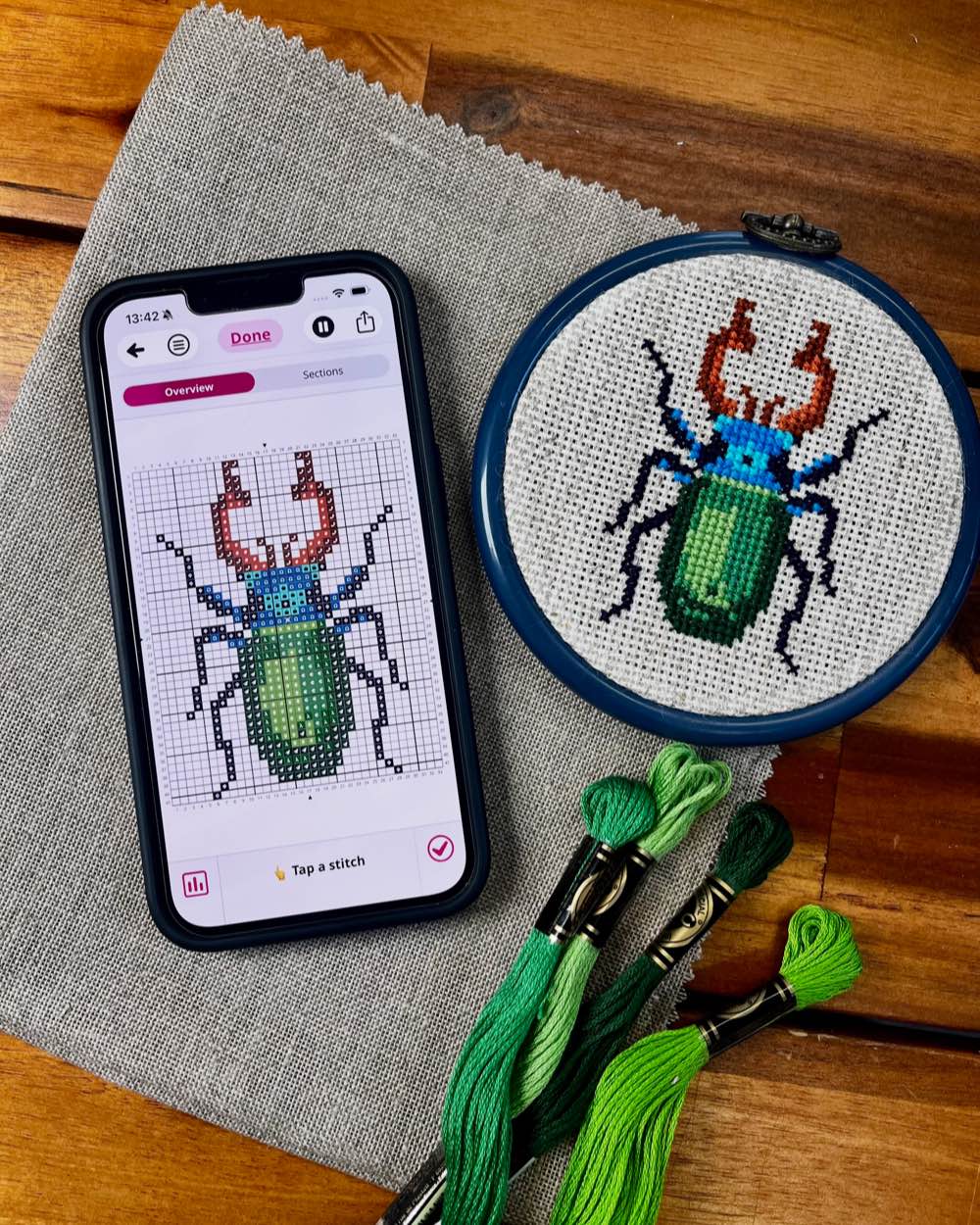
As well as basic markup tools for PDF files, Stitchly includes a progress tracking feature for native patterns created in the app. This gives you that exact same satisfying feeling of crossing off rows on paper, but with an instant “Undo” button if you make a mistake.
In a Nutshell
Transitioning to a paperless workflow doesn’t mean changing the craft you love—it just means giving yourself a cleaner, more comfortable way to enjoy it. By freeing up your physical space from paper clutter, you might just find that your stitching time feels a little more organised, portable, and relaxing.
Like any new habit, it might take a project or two to fully find your rhythm, so start small. Try using your device for a tiny ornament or a quick weekend motif before diving into a massive masterpiece.
Up next…
More posts coming soon!
Download now
Try Stitchly now on iPhone, iPad and Android. The full version is a one-time purchase.
Are you a blogger?
Feel free to write about Stitchly on your blog! Please include a link to the Stitchly website so that your visitors can easily find out more. Thank you 😊
Want to learn more?
Choose a professional designer or one of the guides below to learn more.
 |
Abi Skinner› |
 |
Tatiana Kecskemeti› |
 |
Nic Sworen› |
 |
How to convert a photo into a cross stitch pattern› |
 |
How to draw cross stitch patterns› |
 |
How to sell your cross stitch patterns› |